
Thirty-three notes and a lot of dead ends
I've been writing these notes since late September. Some are build notes, like how I got layout shift from 0.40 to 0.001. Most are what I call "why before how" notes, where an old idea from philosophy or a movie explains something about building websites. I like writing them. I also noticed a problem with them.
Each note linked to two or three of its closest neighbors and then stopped. The Plato's cave note linked to the crawlable-links note. The Halo note linked to the reduced-motion note. Inside those little clusters you could wander around. Between them there was nothing. Before this change, only 4 of the 33 notes linked to any of my case studies, and 3 notes had no internal links at all.
That matters for two kinds of readers. A person who finishes a note and wants more has nowhere obvious to go. And a crawler, or an AI assistant trying to work out what this site knows about, sees a pile of separate pages and has to guess how they relate.
I already had the thing that should have connected them. The site has a topic list: 27 topics, each with its own page and a short definition, things like Crawlable links, Tap vs. hover and Knowledge system. Every note is tagged with a few of them. But the tags sat at the top of the page as chips. The words in the actual sentences, where people read, didn't go anywhere.
The rules came before the code
Linking every topic word would have been easy and terrible. A paragraph where every third word is underlined reads like a terms-of-service page. So I wrote the rules down first, and only then built anything:
- Only the first mention links. After that, it's just a word.
- Six links per page at most. If a note mentions more topics than that, the ones that matter most to that note win.
- No links in headings, buttons, captions or existing links. A link inside a heading is hard to read and hard to click, and a link inside a link is broken HTML.
- No link to the page's own topic. A note about crawlable links doesn't need a link to Crawlable links, because you're already there.
- Synonyms count, because people don't write the way a topic list is named. I added a Synonyms field to the Topics collection and filled it for 17 of them, so "the CMS" can count as a mention of Webflow CMS.
The six-link cap is the one I'd defend hardest. Every link asks the reader to make a small decision: click or keep reading? Six of those in a long note feels like help. Twenty feels like being sold to.
Why the links live in the CMS, not in a script
The easy way to build this is a script. Load the page, scan the text for topic words, wrap the first one in a link. It's maybe 40 lines of JavaScript, and it would have worked for every person who visits.
It would not have worked for the readers I care most about here. In my Plato's cave note I wrote about finding "shadows" on my own site: lists that looked fine to visitors but were nearly invisible to crawlers, because the links only appeared after JavaScript ran. Plenty of crawlers, including some of the ones AI assistants use, read the raw HTML and move on. If a script adds a link after load, those readers never see it.
So every link is written into the note's rich text in the Webflow CMS, the same as if I'd typed it there myself. Here's a real one, from the note about versioned custom code. Before:
Webflow's custom code fields are fine for a few lines.
After, in the HTML the server sends:
Webflow's <a href="/topics/custom-code">custom code</a> fields are fine for a few lines.The sentence reads exactly the same. The only difference is that two of its words now lead to a page about them.
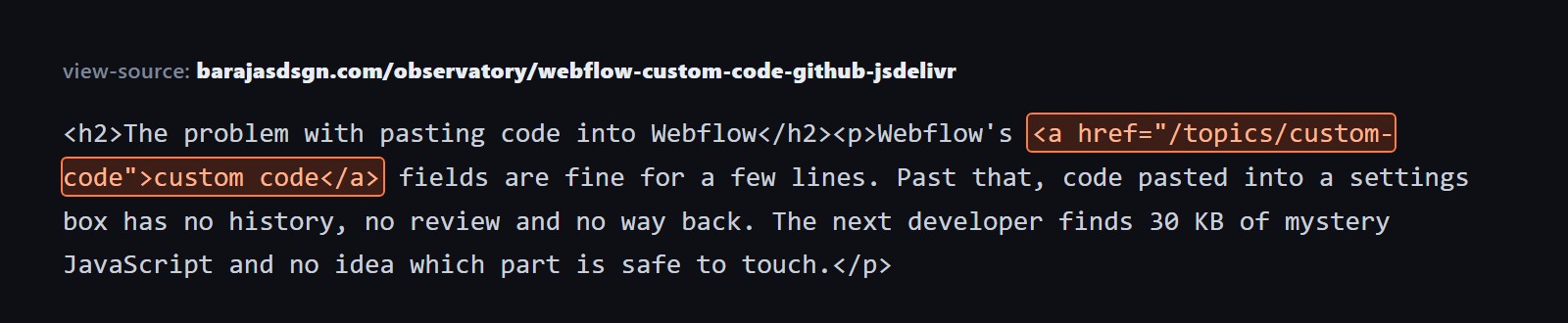
The link is in the page source before any JavaScript runs, which is the version crawlers read.
The only script is the one behind the small definition card, and the card is an extra. Turn JavaScript off and you still get a normal link to a real page.
Finding the words
I didn't hand-search 33 notes. I wrote a few small Python tools that do the boring part and leave the decisions to me.
The first one reads every note and every topic, including the synonyms, and finds the first mention of each topic word that the rules allow. It skips headings, captions and anything already linked, skips the note's own topic, and stops at six. What comes out is a list of proposals, one per word, each showing the sentence as it is now and as it would be.
Some notes got several proposals and some got none, usually because their topic words only showed up in places the rules leave alone, like headings.
A second tool looked for something different: notes that mention one of my case studies, like 510 Visuals or AB Identity, in plain text without linking to it. Those are the easiest wins there are. The words are already there and the reader is already thinking about that project.
Approving every one by hand
Then I went through the list one proposal at a time, in a review chat where each item showed me the before, the after and the paragraph it sat in. Approve, skip, or change the wording.
Most were obvious yeses. A few were skips because the word was technically a match but meant something else in that sentence. One reason I wanted every link approved by a person: a word-matching tool only finds words that look the same. It can't tell when they mean something different.
The final count:
- 29 first-mention links to topic pages
- 10 links on words that were already there, mostly case study names mentioned in passing
- 2 new sentences, which I'll come back to
That's 41 new internal links across 26 notes. The library went from 68 internal links to 109. Notes that link to a case study went from 4 to 8. Notes with no internal links at all went from 3 to 2.
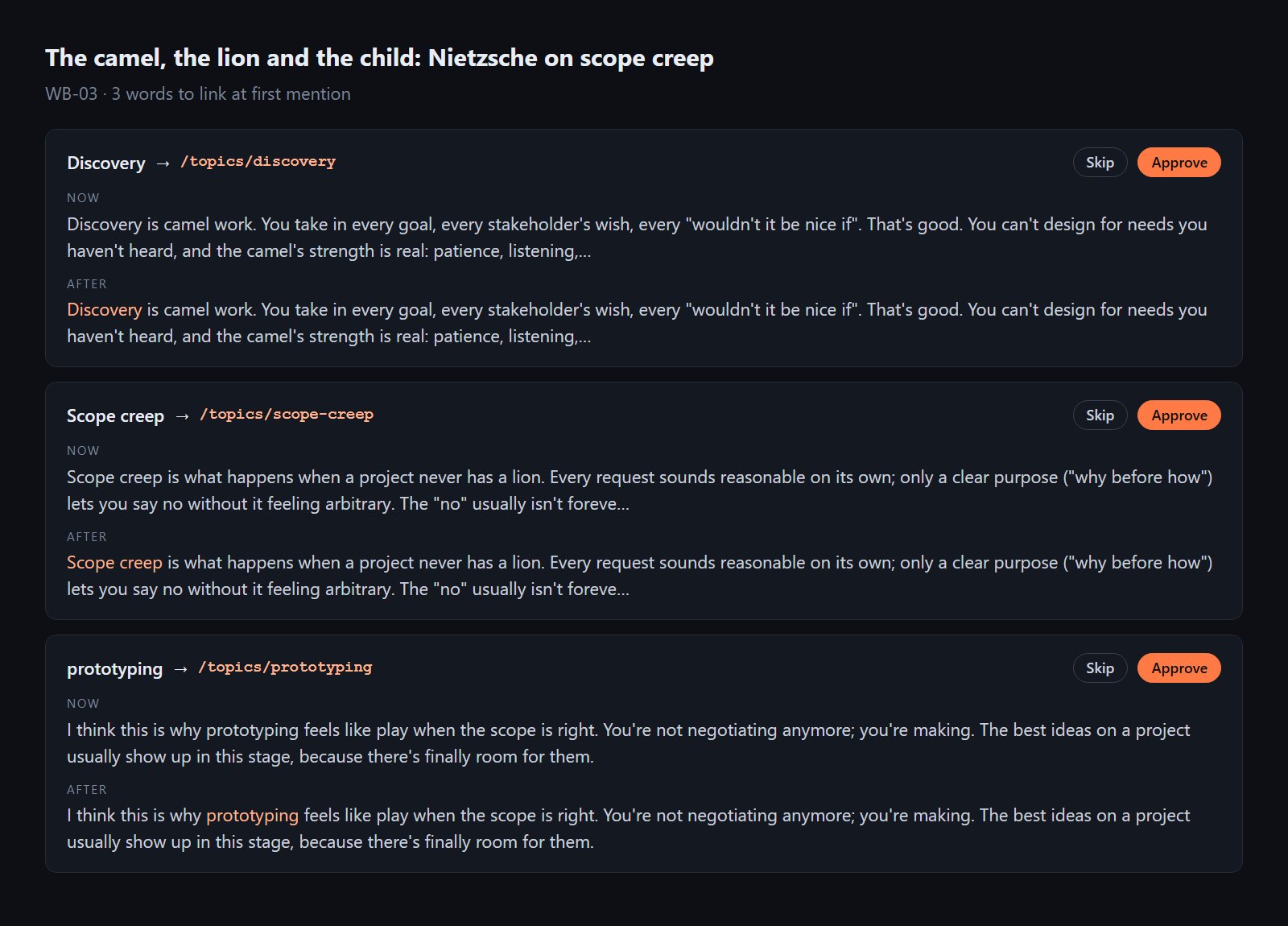
Every proposal showed the sentence before and after. Nothing went in without a yes.
When a note changed, its Last updated date changed too, both the date on the page and the ISO date in the note's structured data. If you tell search engines a page was updated, the date should mean something.
The card, and the bug that only showed up on a phone
A link to a topic page is useful, but it asks you to leave the note you're reading. Sometimes you just want to know what a word means and keep going. So each topic link gets a small card: the label "Observatory vocabulary," the topic's name, its one-line definition, and "Read more" if you do want the full page.
How you open it depends on what you're holding:
- With a mouse, hover the link and the card appears. Click and you go to the topic.
- With a keyboard, tab to the link and the card appears, tied to the link with
aria-describedbyso a screen reader reads the definition too. Escape closes it. - On a touch screen, the first tap opens the card. A second tap follows the link. Tapping anywhere else, or scrolling, closes it.
That touch rule is the one I've written about before in Tap is not hover: a phone has no hover, so anything hidden behind hover needs a tap version. I thought I had it covered. Then I tried it on my own Android phone, and the first tap went straight to the topic page without ever showing the card.
The cause was a piece of browser behavior I hadn't thought about. When you tap a link on Android, Chrome gives the link keyboard focus first, and only then sends the click. My keyboard code saw the focus and opened the card. Then the click arrived, saw a card already open, and did what a second tap is supposed to do: follow the link. One tap, two events, and the page treated it like a double tap.
The fix is to notice where the focus came from. The page notes the time of every touch or click on the way down. If a link gets focus less than 800 milliseconds after one of those, on a touch screen, it was a tap, not a Tab key, and the keyboard path stays out of it. I confirmed the fix on the same phone the same day: first tap shows the card, second tap goes.
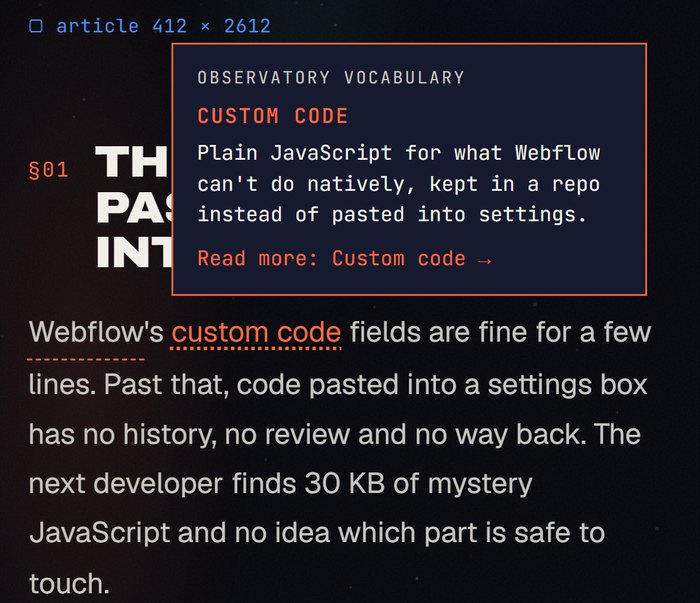
First tap: the card. Second tap: the topic page.
What it cost the page
Anything new on a page can slow it down or make it jump around, so I measured.
The definitions don't load with every note. The first time a page has topic links, the script gets the definitions from the Topics page once and keeps them in the browser for a day. Pages without topic links don't load anything. The card is positioned over the page, not inserted into the text, so nothing moves when it opens. Layout shift on a note with the cards measured 0.0007, which is about as close to zero as that number gets. (If you're curious why I care about that number, I wrote a whole note about getting it from 0.40 to 0.001.) No console errors.
The links are dotted, not solid. A solid underline says "this goes somewhere else." A dotted one says "there's more here if you want it," which is closer to the truth.
The next step: sentences that connect notes
Links on existing words only help when the words are already there. Sometimes two notes are about the same thing and neither mentions the other. My Descartes star chart note and this one are both about how a site's ideas connect, for example, and nothing in either points across.
For those, the fix is a new sentence: one or two lines, written in my voice, using only facts already on both pages. I added two of these in this round. The note on versioned custom code now has a line pointing to the 510 Visuals case study, where every script also lives on GitHub. The note on Baudrillard and copies of copies now says the planets in my brand art come from the AB Identity system.
Bridges are easy to overdo, so they get stricter rules than links:
- One new bridge per note per month at most, so the library doesn't suddenly fill up with connective tissue.
- If A points to B, B doesn't get a sentence pointing back that says the same thing.
- No invented facts. If both pages don't support the sentence, it doesn't get written, and the tool can suggest a plain link instead.
- A check across the whole library looks for phrases that repeat, so the bridges don't all start sounding like "Relatedly, in my note on...".
Topicweave
All of this is a product called Topicweave. I built it for small business sites on Webflow: a vocabulary of the things the business knows, first-mention links written into the CMS, definition cards, suggested connections, and an owner who approves every change before it goes live. This site was its first real install, before any client's.
That order was on purpose. I've written before about publishing, then checking, and about how this site is where I test the slightly crazy ideas before anyone else has to trust them. Running it here first meant I found the Android bug on my own phone, not on a client's. It also meant I had to approve 41 links one at a time and see for myself how long that takes, which is the kind of thing you should know before you ask someone else to do it.
If you're reading this on the site, try one of the dotted words above. The card is there if you want it, and the note keeps going if you don't.